



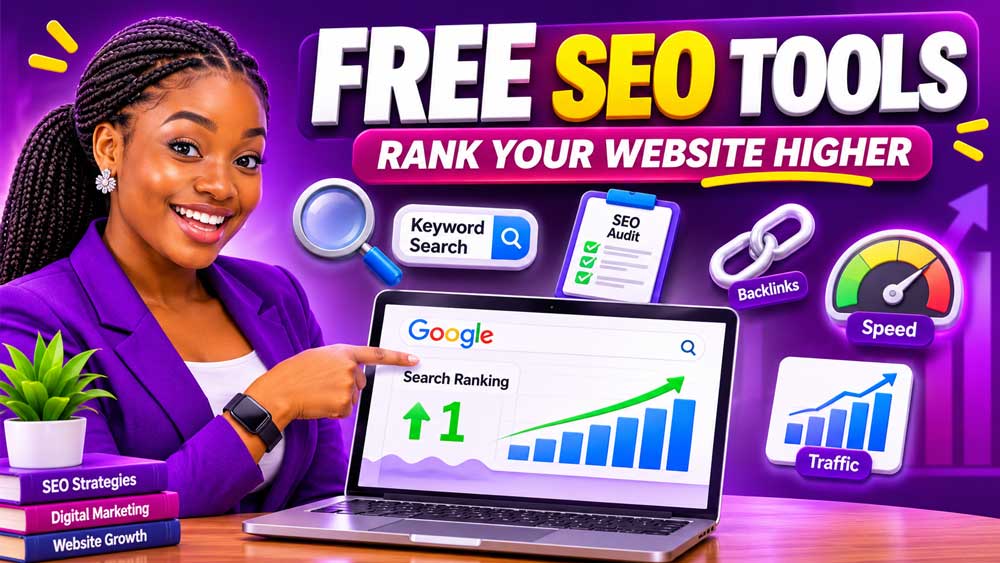
How to Use Free SEO Tools to Improve Your Website Ranking
Have you ever published a blog post, waited for visitors, and discovered that hardly anyone was reading it? You are not alone. Many website owners create useful content but struggle to get people to find it on Google.
The problem is not always the quality of your writing. Sometimes, your website needs better keywords, faster loading pages, improved content, or a few technical changes.
This is where free SEO tools become helpful. They allow you to understand how your website performs, discover what people search for, find problems, and improve your content without spending money on expensive software.
Think of SEO tools as a health check for your website. Just as a doctor uses simple tests to understand your health, these tools help you discover what is working and what needs attention on your website.
The good news is that you do not need to be a professional SEO expert to use them. In this guide, you will learn how to use free SEO tools to improve your website ranking, attract more organic traffic, and grow your online presence.
What Are Free SEO Tools and Why Do They Matter?
Free SEO tools are online applications that help website owners improve their websites for search engines such as Google and Bing. They provide information about keywords, website performance, content quality, backlinks, and technical problems.
For example, imagine you own a website that sells shoes. You publish an article titled “Best Shoes for Everyday Use”. However, you are unsure whether people search for that exact phrase.
A keyword research tool can help you discover related searches, such as “comfortable shoes for walking” or “best affordable shoes”. This information helps you understand what your audience wants before creating your content.
Without SEO tools, you may spend hours writing articles without knowing whether people are searching for those topics. With the right tools, you can make better decisions based on useful information rather than guesswork.
How SEO Tools Help Your Website
The main purpose of SEO tools is to help you identify opportunities and problems that affect your website’s visibility.
For instance, a website SEO checker can help you identify missing page titles, broken links, and other issues. A keyword research tool helps you discover topics that people are interested in.
Some tools also show how many people visit your website, which search terms bring visitors, and which pages receive the most clicks.
However, remember that using free SEO tools does not automatically put your website at the top of Google. They provide information and suggestions. You must apply the right improvements and give search engines time to recognise the changes.

7 Best Ways to Use Free SEO Tools to Improve Your Website Ranking
You do not need dozens of applications to improve your SEO. Starting with a few reliable free SEO tools is enough to build a good foundation.
Here are seven practical ways to use them.
1. Use Free SEO Tools for Keyword Research
Keyword research is one of the most important parts of SEO. It helps you understand the words and questions people enter into search engines when looking for information.
For example, if you run a website about digital marketing, you may want to write about SEO, website design, or social media. But which topic should you choose?
Instead of guessing, use Google Keyword Planner to explore keyword ideas and discover information about search demand. You can also use Google Trends to compare interest in different topics over time.
For example, you might compare “website design” with “website development” to understand how interest in those topics changes.
Once you find a suitable keyword, use it naturally in your article title, introduction, headings, and conclusion. Avoid repeating it in every sentence because this can make your writing uncomfortable to read.
The goal is to create content that answers what people are actually searching for.
2. Check Your Website Performance with Google Search Console
One of the most useful free SEO tools available to website owners is Google Search Console.
It helps you understand how Google sees your website. You can check which pages are indexed, identify indexing problems, and discover the search queries that bring people to your website.
For example, imagine you published an article about website design. After a few weeks, you notice that Google displays your article when people search for “affordable website design in Nigeria”.
However, only a few people click on it.
This information gives you an opportunity to review your page title and description to make them more relevant and attractive.
Google Search Console also provides information about impressions, clicks, click-through rate (CTR), and average search position.
Try this: Visit Google Search Console, add your website, and verify ownership. Once connected, check the Performance report to understand which pages and keywords are bringing visitors.
3. Improve Your Website Content with SEO Analysis Tools
Publishing an article is only the beginning. You must also make sure the content is useful, easy to read, and properly organised.
SEO analysis tools can help you review different parts of your content, including headings, page titles, meta descriptions, and keyword placement.
For example, imagine you write an article about “How to Start a Blog”. Your main keyword should appear naturally in the title and introduction. Your headings should also explain the important sections of the article.
You can use free versions of SEO plugins such as Yoast SEO or Rank Math to check basic on-page SEO elements on a WordPress website.
However, do not write only to satisfy a plugin’s green indicators. A green score does not guarantee that Google will rank your article.
Your first responsibility is to answer the reader’s question clearly. Use examples, short paragraphs, useful headings, and relevant images to make your article easier to understand.
If you want to understand how search-friendly writing works, read our guide on SEO vs Copywriting: What’s the Real Difference?.
4. Find and Fix Technical SEO Problems
Technical SEO refers to improvements that help search engines access, understand, and index your website.
Some common technical problems include broken links, missing pages, slow-loading resources, and incorrect indexing settings.
Imagine opening a shop and discovering that the front door is locked. Customers may want to enter, but they cannot. A similar problem can happen when search engines cannot properly access important pages on your website.
You can use Google Search Console to check indexing problems and inspect individual URLs.
For website speed, try Google PageSpeed Insights. It analyses individual pages and provides suggestions for improving loading speed and user experience.
For example, if your homepage takes too long to load because of large images, you may need to compress those images or review unnecessary scripts.
Fixing technical problems can make your website easier to use and help search engines access your content.
5. Check Your Website Backlinks
Backlinks are links from other websites that point to your website.
Think of them as recommendations. When another relevant website links to your article, it can help people discover your content and may contribute to your website’s authority.
For example, imagine you publish a helpful guide about starting a small business. Another website that discusses entrepreneurship may link to your guide as an additional resource.
That link can send interested visitors to your website.
Some SEO analysis tools offer limited free backlink reports. You can also use Google Search Console’s Links report to see external websites linking to your pages.
However, do not focus on collecting hundreds of random links. Quality and relevance matter. Avoid buying suspicious links or joining link exchanges designed to manipulate search rankings.
Instead, publish useful articles, create original resources, and build genuine relationships with other website owners.
6. Improve Website Speed and Mobile Performance
Have you ever visited a website that took so long to open that you decided to leave? Many other visitors behave the same way.
Website speed matters because people expect pages to load smoothly, especially when browsing on mobile phones.
Free SEO tools such as PageSpeed Insights help you understand how your pages perform on mobile and desktop devices.
The report may highlight problems such as oversized images, slow server responses, or resources that delay page loading.
For example, if you upload a very large photograph to your blog, it may take longer to load than a properly compressed version.
You can improve performance by resizing images, using suitable image formats, removing unnecessary plugins, and enabling caching.
Also, check how your website looks on a smartphone. Make sure text is readable, buttons are easy to click, and visitors do not need to zoom in to read your content.
7. Monitor Your Website Ranking Regularly
SEO is not a one-time activity. Your website needs regular attention to maintain and improve its performance.
For example, an article that receives 500 monthly visitors today may receive fewer visitors next month because search interest has changed or competing articles have improved.
This is why monitoring your website is important.
Google Search Console allows you to track impressions, clicks, average position, and search queries. You can compare different periods to understand whether your website is improving.
For example, if an article receives many impressions but few clicks, review its title and description. If it receives clicks but visitors do not find the information they need, improve the content.
Do not panic when rankings change slightly. Search results can move up and down. Look for longer-term patterns before making major changes.
Best Free SEO Tools Every Beginner Should Know
There are many free SEO tools available, but you do not need to use all of them. Start with reliable options that solve specific problems.
Here are some worth exploring:
| SEO Tool | What You Can Use It For |
|---|---|
| Google Search Console | Track search performance and indexing |
| Google Keyword Planner | Discover keyword ideas |
| Google Trends | Compare search interest |
| Google PageSpeed Insights | Check page speed |
| Bing Webmaster Tools | Monitor Bing search performance |
| Yoast SEO | Improve WordPress on-page SEO |
| Rank Math | Manage WordPress SEO settings |
Most of these tools offer useful features without requiring a paid subscription. Some have optional paid plans or additional features.
For a beginner, Google Search Console, Google Keyword Planner, and PageSpeed Insights are an excellent starting point.
How to Create a Simple SEO Strategy Using Free Tools
Having access to free SEO tools is useful, but knowing how to combine them makes a bigger difference.
Start by choosing one topic that is relevant to your website. Use a keyword research tool to find phrases people search for. Select a keyword that matches the purpose of your website and the information you can provide.
Next, create a helpful article around that topic. Include the main keyword naturally in the title, introduction, and relevant headings. Add related terms where they make sense.
Before publishing, check your page title, meta description, image alt text, and internal links. Make sure the article is easy to read on mobile devices.
After publishing, submit or inspect the page through Google Search Console. Monitor its impressions and clicks over the following weeks.
You should also review older articles. Sometimes, updating an existing article with better information, clearer headings, and relevant internal links can be more useful than publishing another similar article.
For additional ideas on growing your online visibility without spending heavily, explore our guide to Free Ways to Promote Your Business Online for Beginners.
Common SEO Mistakes to Avoid
Even when using the best free SEO tools, beginners can make mistakes that slow their progress.
One common mistake is keyword stuffing. This happens when you repeat your focus keyword too many times in an attempt to rank higher. Your article should sound natural, not like a list of search terms.
Another mistake is ignoring search intent. If someone searches for “how to build a website”, they probably want instructions, not an article that only advertises website design services.
Some website owners also publish articles without checking whether Google can index them. Use Search Console to identify indexing problems instead of assuming every published page appears in search results.
Finally, avoid changing everything at once. Make improvements gradually so you can understand which changes are helping.
If you run a WordPress website, you may also find our guide on WordPress vs Wix: Which Is Better for Nigerian Businesses? useful when learning about website management and SEO flexibility.
Can Free SEO Tools Really Improve Google Rankings?
Yes, free SEO tools can help you improve your website’s chances of performing better in search results.
They help you discover keywords, identify website problems, improve content, monitor performance, and understand what your visitors are searching for.
However, there is no tool that can promise a number-one Google ranking.
Your results depend on several things, including content quality, competition, website experience, technical accessibility, and how well your pages answer people’s questions.
Think of free SEO tools as a map. They can show you the direction, but you still need to take the journey.
The best approach is to use them regularly, apply what you learn, and keep improving your website.
Frequently Asked Questions About Free SEO Tools
1. Are free SEO tools good for beginners?
Yes. Many free SEO tools are designed for website owners who have little or no SEO experience. Google Search Console, Google Trends, and PageSpeed Insights are good places to start.
2. Can I rank my website on Google without paying for SEO tools?
Yes. You can improve your website using free keyword research tools, helpful content, internal links, technical improvements, and Google Search Console. Paid tools are optional, not compulsory.
3. How often should I use SEO tools?
Check your website performance regularly. A weekly review can help you monitor important changes, while a monthly review can help you identify longer-term trends.
4. Which free SEO tool is best for keyword research?
Google Keyword Planner and Google Trends are useful starting points. They help you explore keyword ideas and understand changes in search interest.
5. Do free SEO tools guarantee higher rankings?
No. They provide information that helps you make better decisions, but they cannot guarantee higher rankings. Your content and overall website quality still matter.
Conclusion: Start Growing Your Website with Free SEO Tools
Improving your website ranking does not have to cost a fortune. With the right free SEO tools, you can discover valuable keywords, improve your content, fix technical problems, and understand how people find your website.
Start with Google Search Console, Google Keyword Planner, and PageSpeed Insights. Learn what each tool does and apply its recommendations gradually.
Remember, SEO is a long-term process. You may not see major changes overnight, but consistent improvements can help your website build a stronger presence in search results.
Ready to improve your website? Visit WEBILITI DIGITAL AGENCY for more practical guides on SEO, website design, and digital marketing. Explore our resources, put what you learn into practice, and take the next step towards growing your online presence.

Leave a Reply