



How to Write Blog Posts Faster Using AI: The Ultimate Beginner’s Guide
Have you ever sat down at your computer, opened a blank Google Doc, and just stared at that blinking black cursor? It feels like that cursor is mocking you, doesn’t it? It blinks and blinks while your mind stays completely blank. Your head is bubbling with exciting thoughts to share, but your hands lock up and refuse to type a single letter. Before you know it, an hour has passed, and your page is still as white as a fresh sheet of snow.
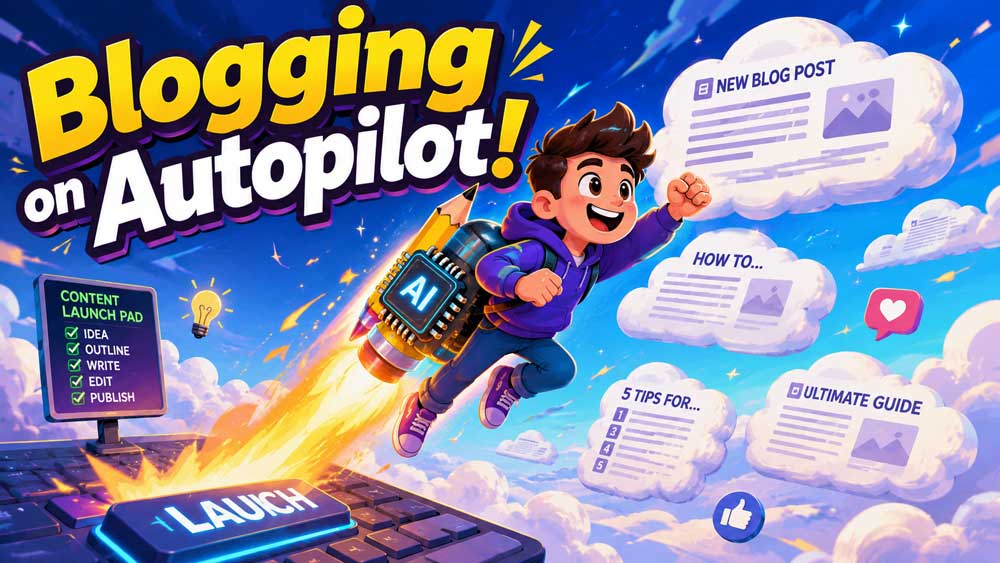
This frustrating experience is called writer’s block, and it is the absolute enemy of progress. But what if you had a brilliant, tireless writing partner sitting right next to you, ready to throw out ideas, organize your thoughts, and help you draft paragraphs in seconds? That is exactly what happens when you learn to write blog posts with AI. It is like switching from a bicycle to a rocket ship; suddenly, you can cover miles in the time it used to take you to walk a single block.
Writing does not have to be a slow, painful crawl anymore. By bringing technology into your creative routine, you can supercharge your productivity and get your message out to your readers before they lose interest. In this guide, we are going to break down how to use these new systems step-by-step so that you can create beautiful, highly readable articles in a fraction of the time.

🚀 Grow Your Knowledge: If you are new to the world of blogging, don’t worry! You can start by reading our comprehensive guide on Successful Blogging Tips For Beginners to build a solid foundation before diving into advanced tools.
Why You Should Write Blog Posts with AI
For a long time, people thought that writing had to be a purely manual, agonizing process. But let’s look at a quick analogy: when calculators were first invented, mathematicians did not stop thinking. Instead, they used calculators to solve small, repetitive math problems much faster so they could focus on solving massive, world-changing equations. Using technology to write works the same way. It does not replace your unique human brain; it simply handles the heavy lifting of organizing and drafting so you can focus on sharing your unique perspective.
When you decide to write blog posts with AI, you are choosing to work smarter. Instead of spending five hours trying to piece together one single article, you can get a super-clean, fully structured article ready to go in just forty-five minutes. This allows you to publish more consistently, keep your audience engaged, and drive more traffic to your platform. If you run a small business, this extra speed is a complete game-changer because you do not have unlimited hours in the day to write.
Additionally, using an AI blog writer keeps you from feeling burned out. Blogging is a marathon, not a sprint. If every single article leaves you feeling exhausted, you will eventually want to quit. By using modern tools to streamline your writing process, you keep the creative spark alive because writing becomes play instead of a chore.
📈 Boost Your Business: Staring at a blank screen is bad for business! See how adding automation to your workflow can transform your marketing by exploring our guide on AI Content Creation for Small Businesses.
Step 1: Use Technology to Generate Blog Topics Instantly
The hardest part of writing is often figuring out what to write about in the first place. You might have a general theme in mind—like “gardening” or “fitness”—but finding a specific angle that people actually want to read can feel like searching for a needle in a haystack. This is where your virtual assistant comes in to save the day by acting as a giant, instant brainstorm partner.
Instead of pacing around your room waiting for inspiration to strike, you can ask a tool to generate fifty unique blog post ideas based on your niche. For example, if you run a pet shop, you can ask, “Give me 15 creative, non-obvious blog post ideas about caring for older dogs.” In three seconds, you will have a list of highly interesting angles that you probably never would have thought of on your own.
To make sure these topics are actually valuable, you should always check them against search data to ensure people are actually looking for answers on those subjects. You can use platforms like Google Trends to see what topics are currently rising in popularity across the globe. This combination of smart brainstorming and real-world search data ensures that you never waste time writing an article that nobody wants to read.
Overcoming Niche Boredom with Fresh Angles
Sometimes you might feel like everything on your topic has already been written. If you write about personal finance, you might think, “How many more times can I write about saving money on groceries?” This is the moment to ask your digital sidekick for a completely unexpected angle. You might instruct it to look at your subject through a wild, colorful lens, like: “Draft a sequence of talking points on budgeting, but present the entire concept using analogies from video game role-playing games.”
Suddenly, your standard personal finance article becomes a fun adventure where saving money is like “leveling up your defense stats” and spending too much is like “taking damage from a boss monster.” This kind of creative matching is incredibly easy to do with technology, and it guarantees that your readers will stay glued to the page because they have never seen your topic explained that way before.
By using an assistant to constantly generate blog topics, you build a massive bank of ideas. You will never have to sit down at your keyboard wondering what to write next. You will simply open your master list, pick an exciting topic that has already been brainstormed, and start the fun part of the writing process.
💡 Why Blogging Matters: Before you start writing, you need to understand why having articles on your site is so powerful. Check out our detailed article on Why Every Business Website Needs a Blog to see how posts drive organic traffic.

Step 2: Build a Solid Blog Post Outline in Minutes
Imagine trying to build a brick house without a blueprint. You might start slapping down blocks without a plan, only to look up later and notice you completely forgot to leave a gap for the main doorway or any of the windows. You would have to tear down your hard work and start all over again. Writing a blog post without an outline is exactly the same mistake. You end up rambling, repeating yourself, and losing your reader’s attention.
An outline is your writing blueprint. It tells you exactly what points you need to make, what order they should go in, and how you will transition from one idea to the next. When you use tools to create a blog post outline, you save yourself hours of restructuring later on. You can feed your chosen topic to the assistant and ask it to break the subject down into logical H2 and H3 subheadings that flow naturally.
For example, if you are writing about “How to Start a Vegetable Garden,” your assistant might suggest a structure that starts with choosing the right soil, moves to selecting the best seeds, details the watering schedule, and finishes with harvesting tips. This logical flow keeps your readers happy because the information is served to them in bite-sized, easy-to-digest pieces.
Enhancing Outlines for Better Search Visibility
A great outline does not just help your reader; it also helps search engines understand what your content is about. When search engine crawlers scan your website, they look at your headings (H1, H2, and H3 tags) to figure out the main themes of your page. By using technology to structure your headings, you can make sure that your target search terms are placed in the most strategic spots.
You might tell your helper: “Design a chapter-by-chapter map for a guide on mastering acoustic guitar tricks, and make sure to include the phrases ‘guitar tips for beginners’ and ‘easy guitar chords’ naturally inside the H2 subheadings.” The tool will quickly generate a structure that is perfectly set up for search success without sounding forced or repetitive.
Having this clear map in front of you takes all the anxiety out of drafting. When you look at your screen, you do not see a massive, scary 1800-word blank canvas. Instead, you see five small, friendly sections that each only require a few paragraphs of text. You can tackle them one by one like checking items off a simple to-do list.
Step 3: Speed Up Blog Writing and Draft Content Faster
Now that you have your blueprint, it is time to start building! This is where the magic really happens. When you draft, your main goal should be to get your ideas down on paper as fast as possible without letting your “inner editor” stop your momentum. Many writers fail because they try to write a sentence, erase it, rewrite it, and polish it before moving to the next one. This constant starting and stopping ruins your creative flow.
Instead of writing everything from scratch, you can use AI writing tools to quickly generate rough paragraphs for each section of your outline. You can feed your outline points into the program and say, “Draft three friendly, simple paragraphs explaining why thick, heavy clay blocks tomato roots, using a wet sponge to make it clear to a child.” Just like that, you have a big pile of raw clay on your work table. Now, instead of staring at nothing, you get to sculpt, smooth, and paint it until it looks perfect. This method allows you to speed up blog writing dramatically, turning a process that used to take days into a simple afternoon project.
Blending Your Authentic Voice with Generated Text
One common mistake beginners make is copying and pasting whatever the assistant spits out without making any changes. If you just copy and paste, your final piece will feel flat, stiff, and completely soulless to your readers. Your readers do not want to read an instruction manual; they want to connect with a real human being who has real-world experiences, mistakes, and emotions.
Think of the generated draft as a baseline. Once you have the text on your screen, go through it and inject your own personality. Add a funny story about a time you ruined your own garden, use the slang that you normally use with your friends, and shorten long, formal sentences to make them punchy. This blend of technical speed and human soul is what makes an article truly viral.
Remember, the goal of using an AI blog writer is to help you express your thoughts faster, not to think for you. Keep your hands on the steering wheel while the machine does the heavy lifting under the hood. This ensures your content remains authentic, highly engaging, and impossible for search engines to mistake for low-quality spam.
🛠️ Choosing Your Toolkit: To get the best results, you need to use the right platforms. Read our expert breakdown of the Best AI Content Creation Tools to find the perfect software for your specific writing style.
Step 4: The Crucial Editing Phase (Your Human Touch)
Once you have completed your fast draft, it is time to take off your writer’s hat and put on your editor’s glasses. This is the magical step where we take our messy, rapid-fire scribbles and sweep away the dust to reveal a shining jewel. While the technology is incredible at organizing data and writing clean sentences, it cannot feel emotion, recognize subtle humor, or tell if a sentence sounds awkward when read out loud.
A great tip for editing is to read your draft completely out loud to yourself. If you find yourself running out of breath during a sentence, that sentence is too long and needs to be split in two. If you stumble over a word, that word is too complicated and should be replaced with a simpler one. Your goal is to make the reading experience as smooth and effortless as possible.
You should also use this phase to double-check all your facts, numbers, and links. Sometimes, language programs can get a bit too confident and make up realistic-looking facts that are actually incorrect. Always do a quick Google search to verify any statistics or historical dates before you hit the publish button. For a deeper understanding of how Google views helpful, high-quality content, you can check out Google’s Official Creator Guidelines to ensure your posts always meet their standards.
Polishing Your Text for Readability and Flow
When you edit, keep your paragraphs short. Large blocks of text look scary, especially to people reading on mobile phones. Keep your word groups tiny—usually around two or three sentences at most. You should also sprinkle in neat bullet lists and thick, dark letters so readers can easily hop down the page and find exactly what they need in a split second.
Here is a quick checklist of things to look for during your human review:
- Are there any repetitive phrases that the assistant used too much?
- Does the text feature actual personal moments and silly mistakes from your own life?
- Does the introduction hook the reader’s attention within the first three seconds?
- Is the tone warm, welcoming, and easy to understand?
By committing to a thorough editing process, you ensure that every piece of content you release is of the highest quality. Your readers will trust your brand, share your articles with their friends, and keep coming back to your site for more advice.
Summary of the Perfect AI-Assisted Blogging Workflow
Let’s wrap up this lesson by looking at your new step-by-step writing workflow. Once you practice this routine a few times, it will become second nature, and you will be able to write multiple high-quality posts every single week.
| Stage | What You Do | What the AI Does | Est. Time |
|---|---|---|---|
| Brainstorm | Choose your general niche and select the best target topics. | Generates 50+ unique, creative article ideas and angles. | 5 Minutes |
| Outline | Review the structure and adjust the order of ideas. | Organizes subheadings (H2 & H3) logically for SEO. | 5 Minutes |
| Draft | Input specific prompts, inject personal stories and tone. | Generates rough paragraphs and detailed explanations. | 25 Minutes |
| Edit | Read out loud, simplify words, verify facts, add links. | Smooths out grammar and formats bullet points. | 15 Minutes |
As you can see, this structured workflow allows you to complete an entire article in under an hour without sacrificing quality. It is the ultimate secret weapon for modern creators who want to grow their online presence without losing their minds in the process.
📝 What is Content Writing? If you want to understand the deeper psychology behind why certain words make people buy products or sign up for newsletters, dive into our guide on What Is Content Writing and Why It’s Essential for Your Business.


Leave a Reply